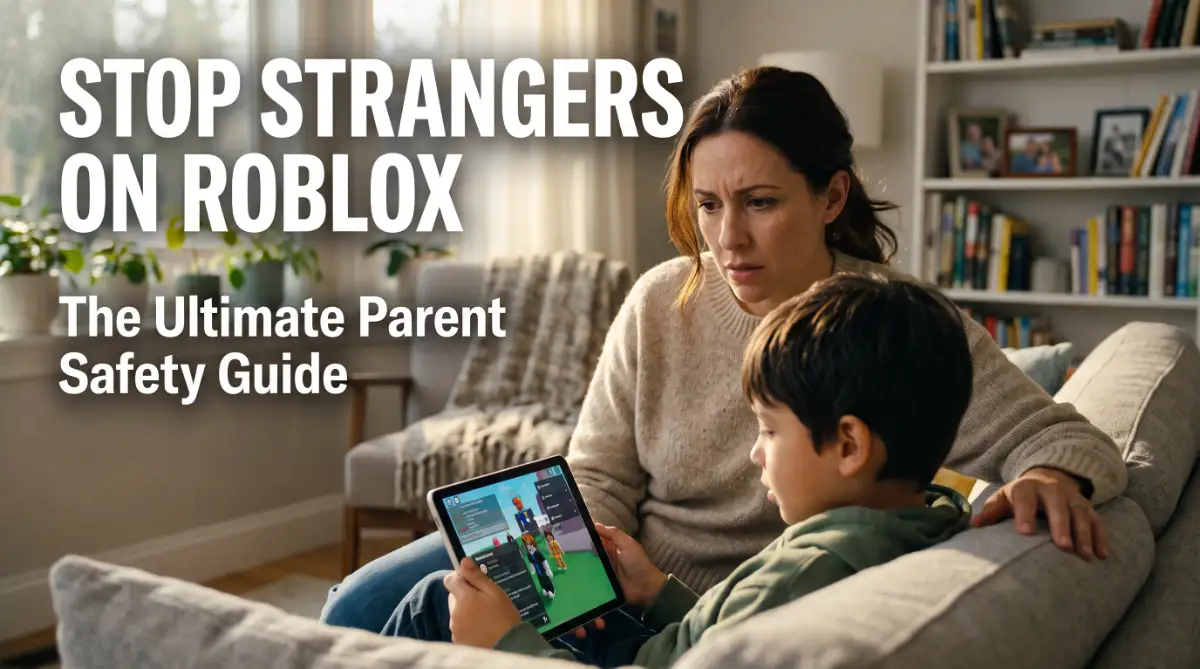
The Hidden Fear: Why Your Child’s Roblox Session Keeps You Up at Night
A few months ago, I found myself sitting in the dark, staring at my daughter's tablet screen with a heavy knot in my stomach. I realized I had no idea who she was talking to in those digital worlds, and honestly, I felt like I was failing to keep her safe.
I spent days feeling overwhelmed and lost before I finally figured out how to truly lock things down, and I want to share that same peace of mind with you.
You hear the familiar music from the living room. Your child is laughing, eyes glued to the screen, lost in a world of blocks and adventure. But as a parent, your heart feels a little heavy. You wonder, "Who is that person talking to my kid in the chat?"
Every time a new message pops up, a wave of anxiety hits you. You want your child to have fun, but the internet feels like a dark, unmapped forest.
It is hard to enjoy your coffee when you are constantly worried about digital predators or inappropriate content hiding behind a colorful game.
Why Traditional Advice Usually Fails
Many parents try to stay safe, but they often hit a brick wall. Here is why common methods don't work:
- Most parents just say "don't talk to strangers," but kids find it hard to spot a "bad" stranger in a fun game.
- We often trust the game’s default settings, but default settings usually favor the platform, not your child’s privacy.
- You might try to watch the screen 24/7, but it is impossible to monitor every single word in a fast-moving chat box.
- Relying on the game's age rating isn't enough because user-generated content can change in a second.
- Blocking the game entirely often leads to kids finding "secret" ways to play, which is even more dangerous.
The Emotional Toll on Your Family
The stress of online safety isn't just about the technology; it’s about your peace of mind.
- The constant worry drains your mental energy, making you feel like an exhausted digital police officer.
- You might feel a loss of trust between you and your child when you constantly peek over their shoulder.
- The fear of the "unknown" makes you want to ban gaming, which creates tension and arguments at home.
- It is heartbreaking to feel like you are failing to protect them in a space where they should feel safe and happy.
I know how it feels to want the best for your child while feeling totally lost in the world of online gaming. You are not alone in this struggle. The digital world changes fast, and it is okay to feel overwhelmed.
But here is the good news: you don't have to be a tech genius to protect your child. We can turn that fear into confidence by taking a few simple, smart steps. We are going to walk through this together, making sure your home stays a place of joy, not worry.
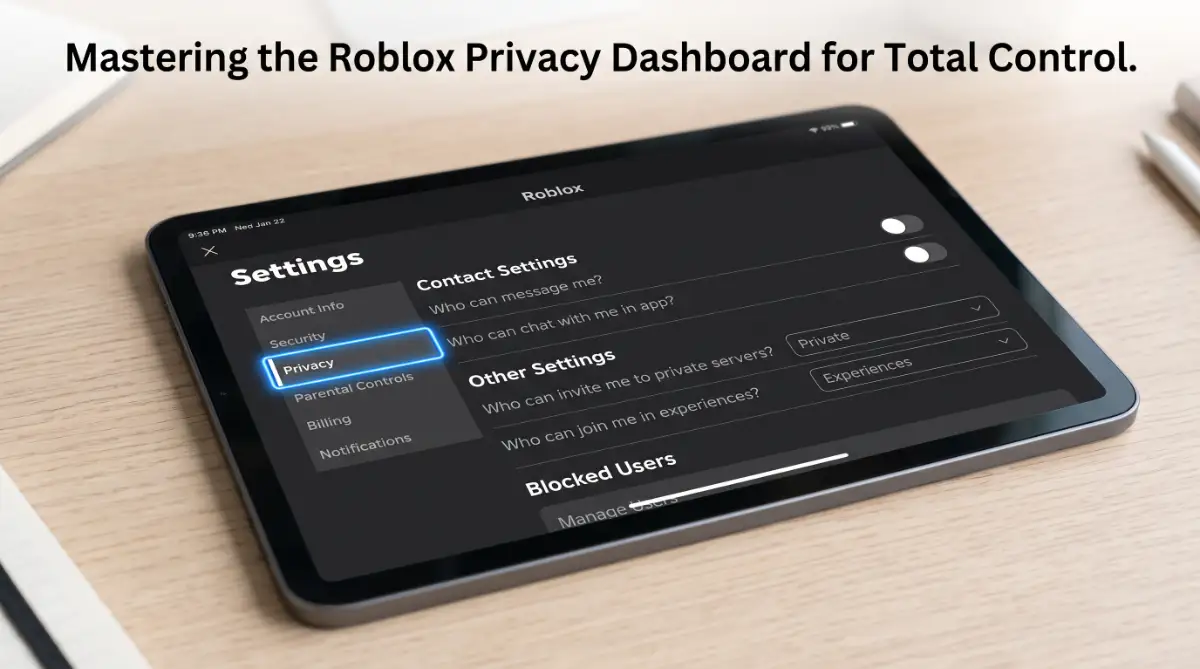
Step 1: Turning on Account Restrictions for an Instant Safety Shield
The first thing we need to do is build a wall around your child's account. Roblox has a built-in feature called Account Restrictions. When you turn this on, it does two major things immediately.
First, it locks the chat so no one can send messages to your child. Second, it limits the games they can play to only those that Roblox has verified as appropriate.
Think of this like a "curated playground." Instead of letting your kid wander the whole city, you are keeping them in a fenced park with a security guard. To do this, go to the Settings gear, click Privacy, and toggle the Account Restrictions switch to "On."
This is the fastest way to stop unwanted contact from strangers. You will feel a huge weight lift off your shoulders the moment you see that "Chat Disabled" message on the screen.
Step 2: Mastering the Art of Chat Privacy
If your child is a bit older and wants to play with real-life school friends, you might not want to turn off chat entirely. In that case, we need to be more surgical. Within the Privacy settings, look for the "Communication" section.
Here, you can change who can message your child, who can chat with them in the app, and who can chat with them in the game.
Change these settings from "Everyone" to "Friends" or "No One." I always suggest "Friends" only if you personally know every single person on their friend list. We have to remember that "friends" in the gaming world can sometimes be people your child met five minutes ago.
By limiting this, you ensure that a random person can't just slide into their private messages. It puts you back in the driver's seat of your child’s social circle.
Want to see exactly where to click? Watch this helpful video to see these safety steps in action and learn how to lock down your child's account in just a few minutes!
Step 3: Locking it Down with a Parent PIN
This is the most important step that many parents skip. If you change the settings but don't lock them, your child can simply go back and change them again.
Kids are smart! To prevent this, you must set up a Parent PIN. This is a four-digit code that is required whenever someone tries to change the account settings.
Go to the Parental Controls tab in Settings and enable the Parent PIN. Choose a number that your child won't guess (avoid birthdays or "1234"). Now, even if they figure out how to get into the settings menu, they can't unlock the chat or change the age limits without your permission.
This simple code acts as the master key to your child's digital safety. It gives you the "final say" on what happens in their gaming world.
I actually learned the hard way that just changing the settings isn't enough because my son figured out how to switch them back in under five minutes! Setting up a Parent PIN was my "lightbulb moment" that finally gave me real control without me having to hover over his shoulder every single second.
Expert Insight: The 2-Step Verification Trick
"I always tell parents to enable 2-Step Verification (2SV). If someone tries to log into your child's account from a different computer, Roblox will send a code to your email. This prevents hackers from stealing the account and talking to your child while pretending to be someone else."
Myth vs. Reality: Roblox Safety
Myth: Roblox is for kids, so it is naturally safe.
Reality: Roblox is a platform where anyone can make a game. While many are safe, some are not. You must use the built-in tools to verify what your child sees.
Myth: I can just check their messages later.
Reality: Some messages can be deleted, and some interactions happen in "real-time" voice chat. It is better to prevent the interaction than to try and find it after it happens.
Myth: Setting limits will make my child hate me.
Reality: Most kids actually feel safer when they know there are boundaries. Explain that you are protecting their fun, not taking it away.
Step 4: Setting the Right Content Maturity Level
Roblox recently added a feature that lets you choose the "Maturity Level" of the games your child can see. This is similar to movie ratings (G, PG, PG-13). If your child is under 9, you can set the limit to "All Ages" or "9+." This automatically hides games that might have mild violence or "scary" themes.
We should always remember that kids have different levels of sensitivity. What is "fine" for one 10-year-old might give another one nightmares. By setting this level, you are filtering out the noise.
To find this, look under Parental Controls and find Allowed Experiences. Pick the age bracket that fits your child’s maturity. This ensures they aren't stumbling into games that are too intense for their age.
We are just getting started on this journey to a safer gaming home. By now, you have already done more than 90% of other parents. You have built a shield, locked the gate, and set the rules.
In the next part of our guide, we will talk about how to handle "in-game currency" safely and how to have the "big talk" with your kids so they actually listen.
Silencing the Noise: Advanced Ways to Control Voice and Text
We have already covered the basics of locking down an account. But as your child spends more time in Roblox, they will run into more complex features. One of the newest and most talked-about settings is Spatial Voice chat.
This feature allows players to talk using their actual voices if they are near each other in a game. While it sounds fun, it opens a door for live, unmonitored audio.
Unlike text chat, which has filters for bad words, live voice chat is much harder for the system to catch in the moment.
I highly recommend checking if your child has verified their age to use this feature. If they have, and you aren't comfortable with it, you should disable the microphone access within the Roblox settings. You can find this under the Privacy tab.
Keeping the voice chat off ensures your child doesn't hear things they shouldn't. It also prevents them from accidentally sharing personal info, like their school name or city, while talking out loud.
If they are experiencing performance problems while playing, you might want to learn how to fix lag issues on your gaming console to keep the gameplay smooth and safe.
Protecting Your Wallet from Digital Grifters
Roblox has its own currency called Robux. Kids want it so they can buy cool outfits or special powers. This desire makes them targets for "Robux Scams."
You might see messages in the chat saying, "Go to this website for free Robux!" These are almost always traps. These sites are designed to steal your child’s password or download harmful software.
We need to teach our children that there is no such thing as free Robux. If they see an offer that looks too good to be true, it probably is. This is very similar to how adults need to know how to protect your money from fake loan and insurance offers.
Talk to your child about the value of digital money. Explain that if they want Robux, it should only come through the official Roblox store. This protects your credit card and their account from being hijacked.
The Power of the "Block" and "Report" Buttons
Safety isn't just about settings; it is about taking action. Every parent should sit down with their child and show them how to use the Report button.
If someone is being mean, using bad language, or asking personal questions, your child needs to know how to flag that person. Show them that clicking on the player’s name in the list opens a menu. From there, they can click "Report Abuse."
This sends a log of the chat to the Roblox moderators. After reporting, they should also use the Block feature. Blocking someone means that person can never talk to your child or join the same game server again.
It is a permanent "goodbye" to bullies. Empowering your child to use these tools builds their confidence. They learn that they have control over their own digital space.
Staying Safe on Public Connections
Sometimes kids play Roblox on the go, like at a coffee shop or an airport. Public Wi-Fi is great, but it can be risky. Hackers sometimes hang out on these networks to peek at what people are doing.
If your child is playing on a public network, it is a good idea to understand how a VPN encrypts your data on public wi-fi networks. A VPN creates a private tunnel for their game data.
This makes it much harder for anyone to see their login details or account info.
It is an extra layer of armor for their digital life. We want to make sure that a fun trip doesn't turn into a security nightmare just because of a weak Wi-Fi connection.
Fatal Flaws: Why Even "Safe" Accounts Sometimes Get Hacked
Even with the best settings, things can go wrong if we aren't careful. Many parents make the mistake of setting the controls and then never checking them again.
Games update all the time. Sometimes an update can reset a setting or add a new feature you didn't agree to. I suggest doing a "Safety Audit" once a month.
Spend five minutes looking through the privacy tab just to make sure everything is still locked tight.
The "Friend List" Trap
Another big mistake is letting the friend list grow too large. Kids often feel "popular" if they have 200 friends. But in reality, they probably only know five of those people in real life.
The more "friends" they have, the more people can see when they are online and what games they are playing. Some strangers use this to follow kids from game to game. This is a form of digital stalking.
Sit with your kid and go through the list. If they don't know the person's real name or they haven't played with them in a month, hit the unfriend button. A smaller, tighter circle is always safer than a giant list of strangers.
Sharing the Master Password
I have seen many kids share their passwords with "friends" so the friend can help them level up. This almost always ends in a "stolen" account.
The "friend" changes the password and the email, and suddenly your child has lost all their progress and items. Teach your child that their password is like their toothbrush—you never share it with anyone else.
If they are playing on a PC or laptop, you should also make sure the hardware is performing well. For example, knowing what is refresh rate can help you understand if the game is running properly, which prevents frustration that might lead a child to seek "hacks" or outside help.
Ignoring the "Security Notification" Emails
Roblox will send an email if someone logs into the account from a new device. Many parents ignore these as "spam."
This is a huge error. If you get an email saying someone in a different country just logged in, you need to act fast. This means the password has been leaked.
If this happens, change the password immediately and check the 2-step verification settings. Staying alert to these emails is your early warning system. It is the difference between a minor scare and losing an account forever.
Trusting Third-Party "Trade" Sites
There are websites where people trade Roblox items for real money or other game items. These are not supported by Roblox.
Most of these sites are designed to trick kids into linking their accounts. Once the account is linked, the site can drain the items or Robux.
We must be clear with our kids: Keep all trading inside the actual Roblox app. If a trade happens outside the game, there is no one to help you if you get cheated.
Your Family Gaming Action Plan
You now have the tools and the knowledge to make Roblox a safe place for your family. It doesn't take hours of work to protect your child. It just takes a few smart choices and a bit of regular attention.
Start by turning on those account restrictions and setting your Parent PIN. Talk to your kids about why these rules exist. When they understand that you are protecting their fun, they are much more likely to follow the rules.
Online gaming is a huge part of modern childhood. It is where kids learn to solve problems and work as a team. By securing their account, you are giving them the freedom to explore without the fear of the "darker" side of the internet.
Take a deep breath. You are doing a great job as a digital parent. Start with one step today, and by next week, your child’s Roblox world will be a much brighter, safer place.
Pro Tip: If you ever feel like the technology is moving too fast, just remember that the most powerful safety tool is your relationship with your child. Keep the conversation open, and they will come to you when something feels wrong.
Looking back, taking these small steps changed the energy in our home from constant worry to genuine fun.
You have the power to protect your child’s happiness right now, so take that first step today and enjoy the relief of knowing they are playing in a safe space.
Disclaimer: This guide is for informational purposes only. While we provide expert tips on safety settings, online platforms frequently update their interfaces and policies. Always refer to the official Roblox Support and Safety pages for the most current technical instructions. We do not guarantee 100% protection from all online risks, as user behavior also plays a key role in digital security.